One-Stop Loan Management
From the moment you sign in, your account gives you a clear view of where
every loan stands and what to do next.
Manage your Qollateral loans, view your documents, make payments, and request new funding from one secure portal. On the web, and on your phone.
For current and invited Qollateral clients.


The Qollateral portal puts your entire loan relationship in one place. Every loan backed by the luxury assets you already own, from your watches and jewelry to gold, diamonds, handbags, and other high-value items, sits in a single secure account you can reach anytime.
Your account is created by our team. If you hold a loan with us, or you have received an invitation, you are ready to sign in. New to Qollateral? Request an account in a few taps, and we will help you get started.
From the moment you sign in, your account gives you a clear view of where
every loan stands and what to do next.

See it all at a glance. Total loans, items in progress, anything due in the next 30 days, and overdue items, the moment you sign in. Tap any number to jump straight to the detail.

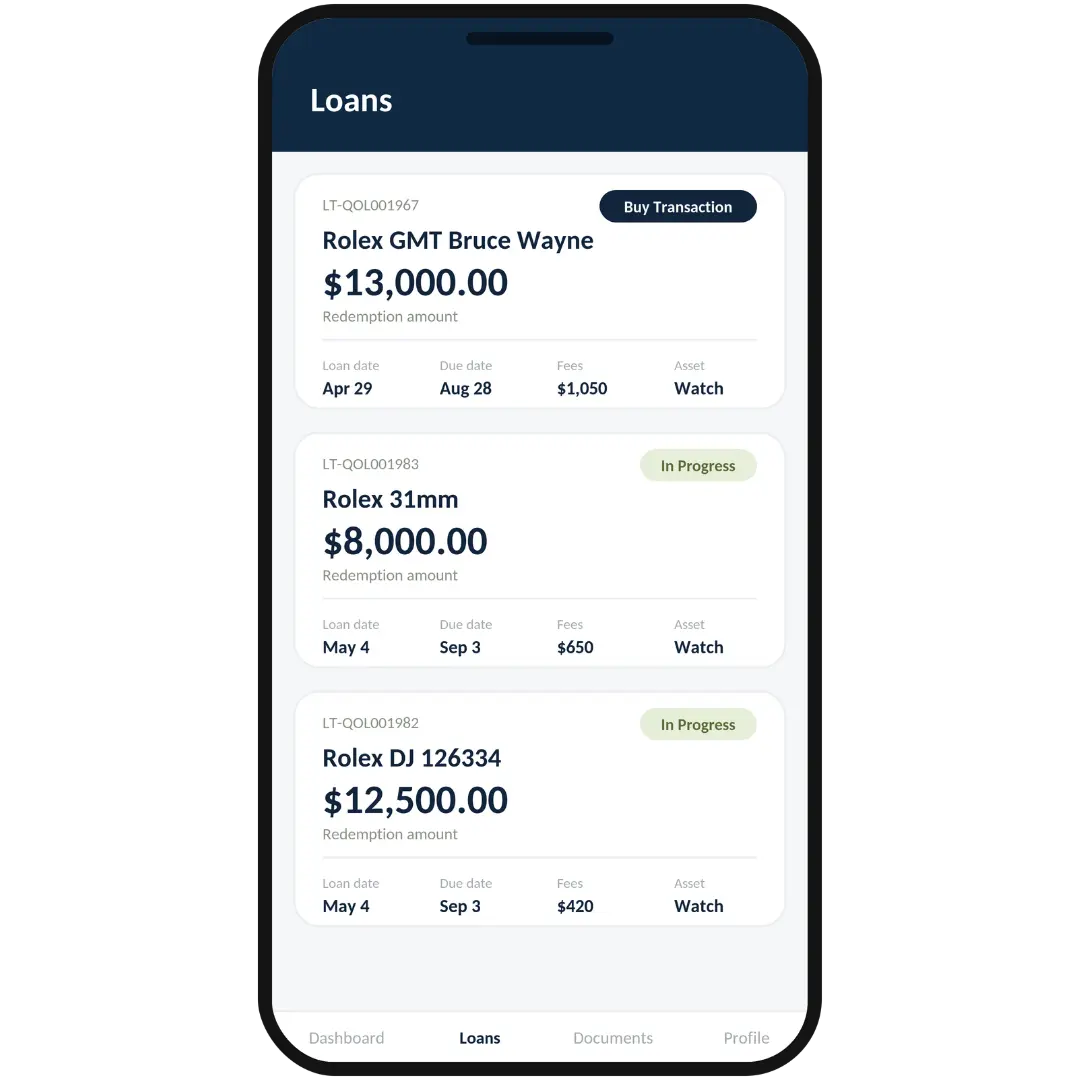
Every loan tied to your account in a single view. Open any loan to see amounts, status, key dates, and related details, so you always know exactly where things stand.

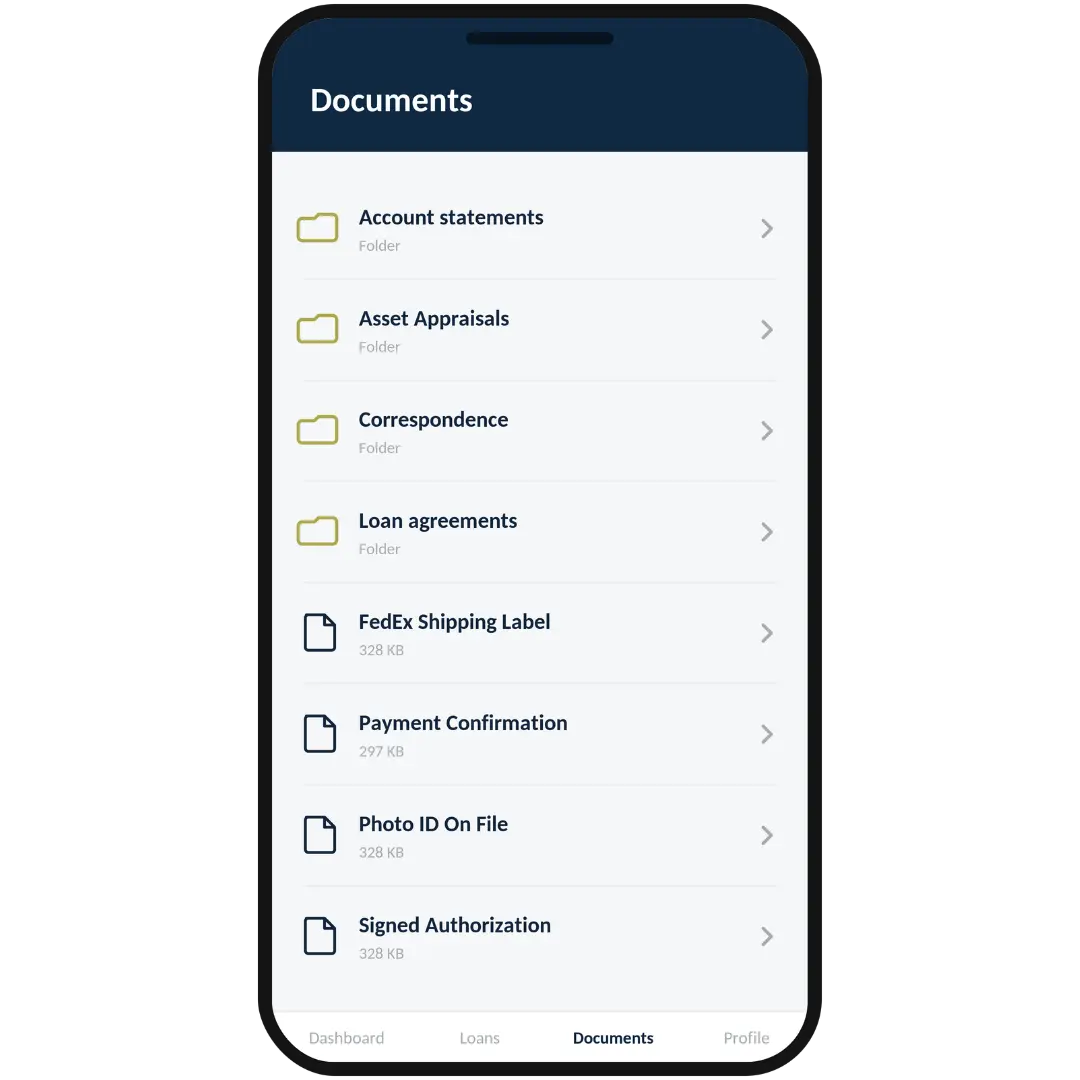
Agreements, statements, and other files your relationship manager shares with you, organized by folder and ready whenever you need them.

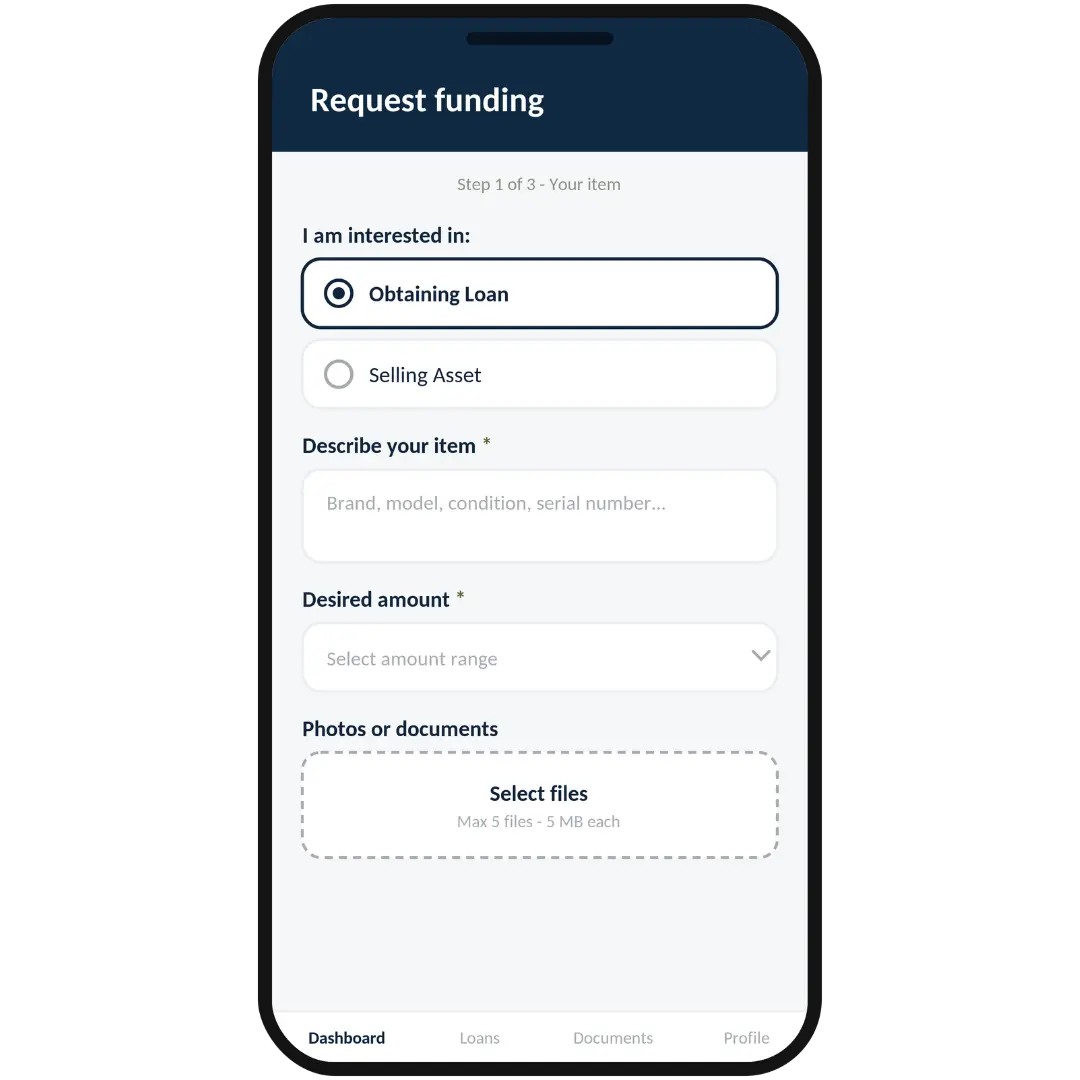
Ready for a new loan, or want to pledge another asset you own? Start a request in the app. Add your item details, contact information, and supporting photos for our team to review.

Schedule time with us for a new loan, a redemption, a renewal, or a general consultation, all through the app.

Clear instructions for paying by Zelle or bank wire, so staying current on your loan is straightforward.

Estimate the potential loan value of your gold before you reach out. A quick way to explore your options.

Your dedicated contact sits right on your dashboard. Call or email them directly whenever you have a question.

Update your profile, change your password, turn on notifications, and manage your account with confidence.
Sign in with the credentials provided by your Qollateral team.
Use your invitation to set up your account, then sign in.
Tap “Request Account,” and our team will reach out to get you set up.
Your account is protected with secure sign-in and email verification. The assets behind your loans are fully insured and held in secure storage. Qollateral is BBB A+ accredited, so you can manage everything with peace of mind.
Download the app for iPhone or Android, or sign in from any browser. Your account stays in sync wherever you are.
 BBB A+ Accredited
 Fully Insured
 Secure Storage
 Secure Sign-In